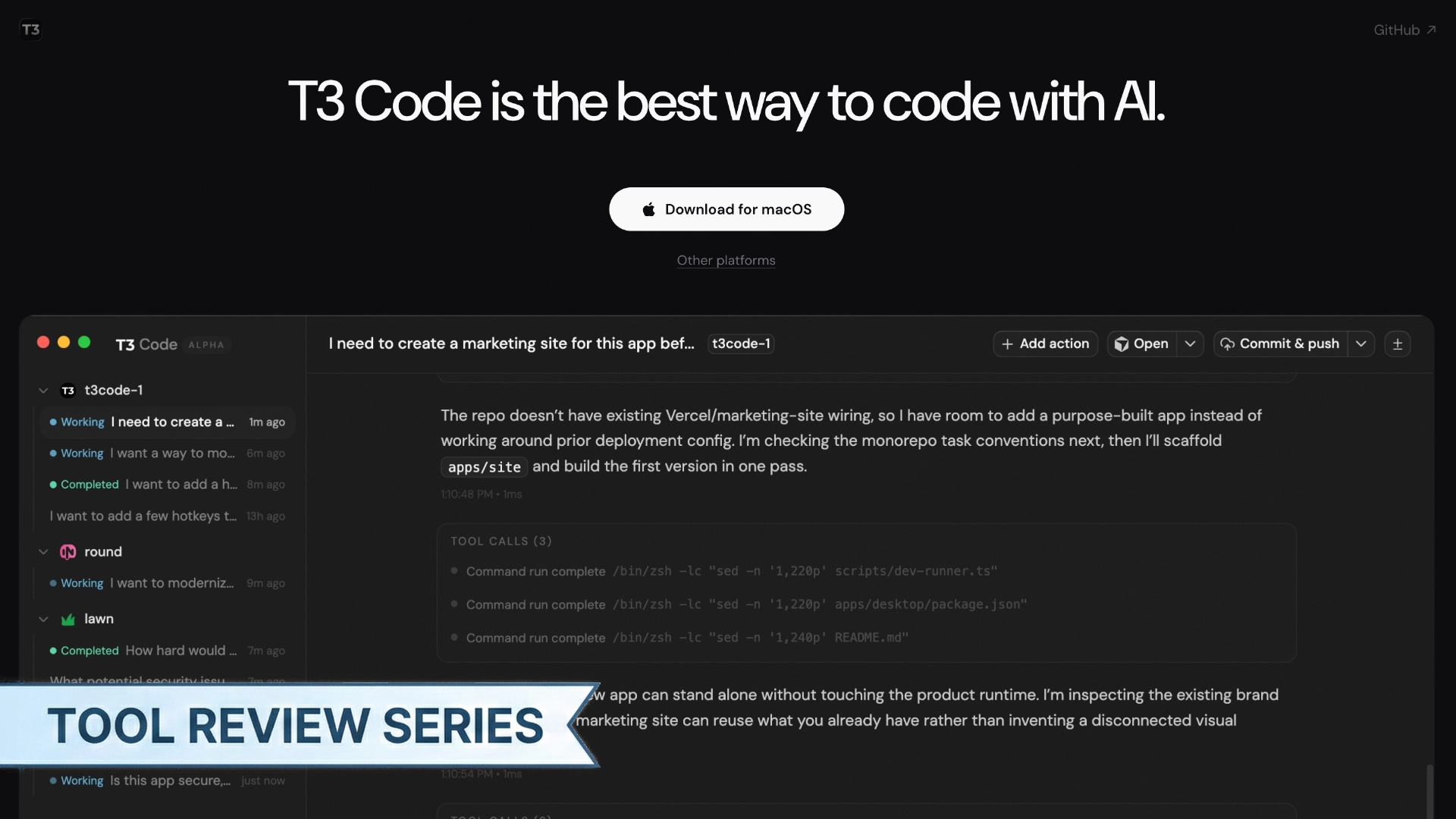
Tool: T3 Code
Category: AI Coding / Desktop App
Pricing: Free (BYOK — bring your own API keys or subscriptions)
A free, open-source desktop GUI for AI coding agents that feels like VS Code for your Codex workflows. Built by Theo Brown and the ping.gg team.
What It Does
My daily workflow involves juggling multiple AI coding tools: Codex for writing code, Claude Code for planning and content, and Cursor for bug fixes and code reviews. That means multiple terminals, multiple windows, and a lot of context-switching. On top of that, you spend a lot of time scrolling through CLI output trying to figure out which files actually changed. T3 Code puts a single GUI on top of that fragmented experience.
It’s an Electron app with a three-panel layout: file explorer on the left, chat in the center, terminal on the right. If you’ve used VS Code, you’ll feel at home. The agent’s reasoning shows up as readable text in the chat panel, while tool calls (file edits, terminal commands) stay visually separate so they don’t take over the screen. Plan mode asks more clarifying questions before acting, which I appreciated.
The thing that got me to try it: you bring your own API keys (OpenAI, Anthropic, Gemini) or connect existing subscriptions. No extra monthly fee. Having one interface where I can switch between models instead of bouncing between three different tools is a big deal. It runs on Codex under the hood right now, with Claude Code support planned.
The git integration stood out. Worktree support out of the box, a built-in diff viewer, and one-click PR creation. There are also custom quick actions, which are basically configurable shell command buttons. Handy if you have repetitive terminal workflows.
But it’s early. Really early. Version 0.0.11, 337 open issues on GitHub (as of March 2026). The project has 6.1k stars and 46 contributors, so people are paying attention. You will hit bugs.
In Practice
I pointed T3 Code at a Next.js project I’m working on for a client and asked it to refactor a form component. The response came back fast, and I could immediately see the diff without switching to another editor.
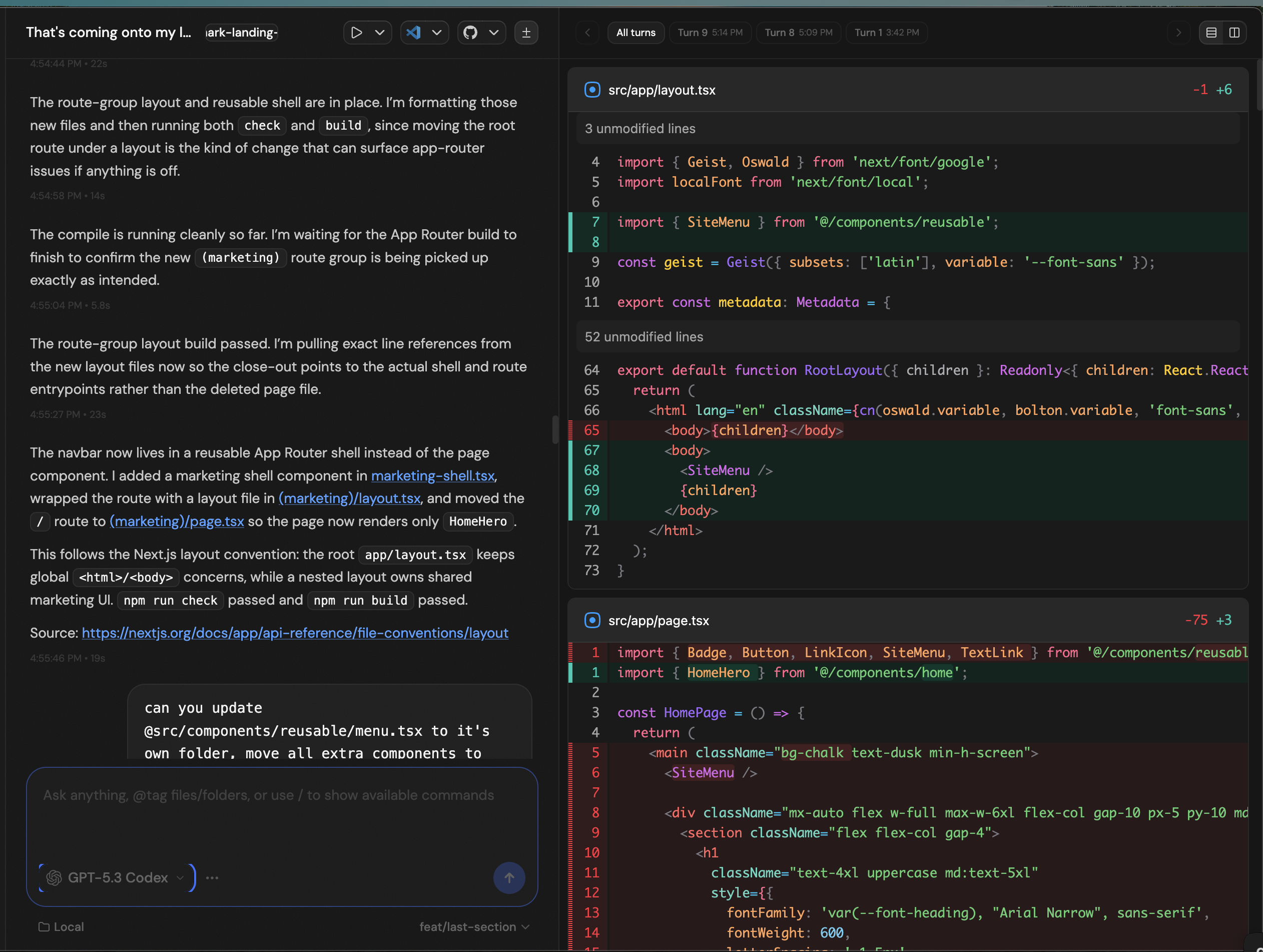
Committing the change was one click. That loop — prompt, review diff, commit — felt noticeably smoother than doing the same thing in the terminal. But I also ran into the @-mention bug where my newly created components folder didn’t show up, so I had to type the path manually. That’s the kind of thing that breaks your flow and reminds you this is v0.0.11.
Pricing Comparison
| T3 Code | Claude Code | OpenAI Codex | |
|---|---|---|---|
| Base cost | Free | $20–200/mo | $20–200/mo (via ChatGPT) |
| API/model cost | BYOK (pay per use) | Included in subscription | Included in subscription |
| Open source | Yes (MIT) | No | No |
Feature Comparison
| Feature | T3 Code | Claude Code | OpenAI Codex |
|---|---|---|---|
| Git integration | Worktrees, 1-click PRs | Git execution through AI | Cloud sandbox |
| Response speed | Fast | Moderate | Slower (async tasks) |
| Diff viewer | Built-in | No (external editor) | Cloud-based |
| Target user | Developers | Dev to semi-technical | Broad audience |
| Maturity | Alpha (v0.0.11) | Stable | Stable |
| Custom actions | Yes (shell commands) | Skills/hooks | No |
Pros
- Free and open source — the code is on GitHub (pingdotgg/t3code), so you can fork it or contribute if something breaks. No vendor lock-in
- BYOK saves money — if you already pay for an Anthropic or OpenAI subscription, you don’t need another $20/mo tool on top
- You can actually see what the agent is doing — the GUI separates reasoning from tool calls, which is a big step up from reading raw terminal output
- Git workflow built in — worktree support, one-click commits, and PR creation from the same window
- Custom quick actions — configurable shell command buttons for repetitive tasks. Small feature, but it adds up
- One interface for multiple models — if you’re juggling Codex, Claude Code, and Cursor for different tasks, having a single GUI that supports multiple providers cuts down on context-switching
- Image context is visible — when you attach an image to your prompt, you can see what you appended. In CLI tools you’re just trusting it worked
Cons
- Alpha-quality software — v0.0.11 with 337 open issues. Things will break
- UI needs work — the color scheme is hard to read in spots, there’s no close button for the sidebar, and newly created folders don’t show up in the @-mention picker
- Developer-only tool — custom actions require terminal commands. The whole UX assumes you know what a worktree is. If you don’t, this isn’t for you
- Codex-first, for now — Claude Code support isn’t live yet, so you’re stuck with OpenAI models for the full experience
- No standalone model access — you need your own API keys or subscriptions, which means setup friction if you don’t already have them
Verdict
If you’re already using AI coding agents and you want a GUI instead of a terminal, T3 Code is worth a look. If you’re happy in the CLI, you probably don’t need it.
The sweet spot right now: solo devs or agency developers juggling multiple repos who want to see diffs and manage git from the same window where the agent runs, without paying for another subscription. Just don’t make it your primary tool for client work yet. It’s alpha software, and it feels like alpha software. But it’s free, it’s open source, and the team is shipping fixes fast.
Rating
Overall: 3.5/5